Introduction
Text to image AI has changed how people create visuals. Instead of learning complex design tools, you can now describe an idea in words and get an image within seconds. This shift has made image creation accessible to beginners, creators, marketers, and educators alike.
I remember my first text-to-image generation like it was yesterday. I typed “a cat wearing a spacesuit on Mars” and watched in amazement as something appeared. It wasn’t perfect, but it was real. That moment hooked me, and I’ve been exploring ever since.
If you are new to this space, it is important to first understand the foundation of AI image generation before diving into tools and techniques. This beginner guide focuses specifically on text to image AI, while the complete working process is explained in detail in the AI Image Generation Guide .
I have been working with AI image generation for several years. I have tested different text to image tools, models, and workflows across real-world use cases, from beginners experimenting with AI visuals to professionals using them for content and design.
This article is based on hands-on experience, not theory. The goal is to help beginners clearly understand how text to image AI works, so they can use it with confidence instead of trial and error.
What Is Text to Image AI (Core Concept Explained)
Text to image AI is a system that converts written descriptions into visual images using trained artificial intelligence models.
When you type a sentence, the AI does not “see” or “imagine” like a human. Instead, it analyzes the words, breaks them into patterns, and matches them with visual data it learned during training. Based on this understanding, it predicts what the image should look like.
At a high level, three things are happening:
- Your text is converted into a form the AI can understand
- The AI matches your words with learned visual concepts
- An image is generated step by step from noise to clarity
The key thing to remember is that text to image AI predicts visuals, it does not copy or search images. This distinction helped me understand why sometimes the AI would add elements I didn’t ask for – it was predicting what usually goes with my description.
How Text Becomes an Image (Beginner View)

For beginners, it helps to see text to image as a translation process.
You provide:
- Subject (what you want)
- Style (how it should look)
- Context (environment or mood)
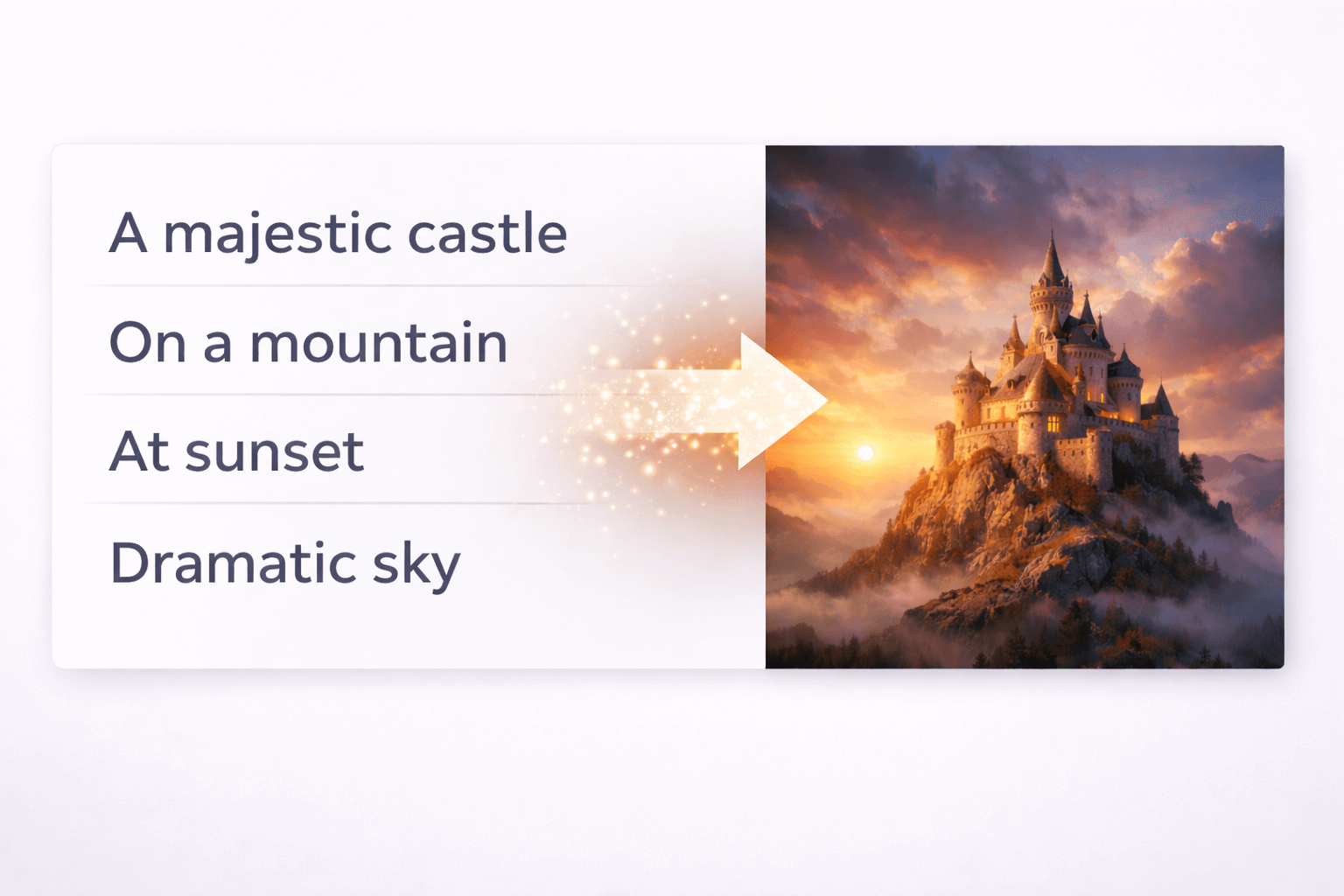
The AI processes this information and builds the image gradually. Early stages look random and blurry. As the system refines its predictions, shapes, lighting, and details appear until a final image is produced.
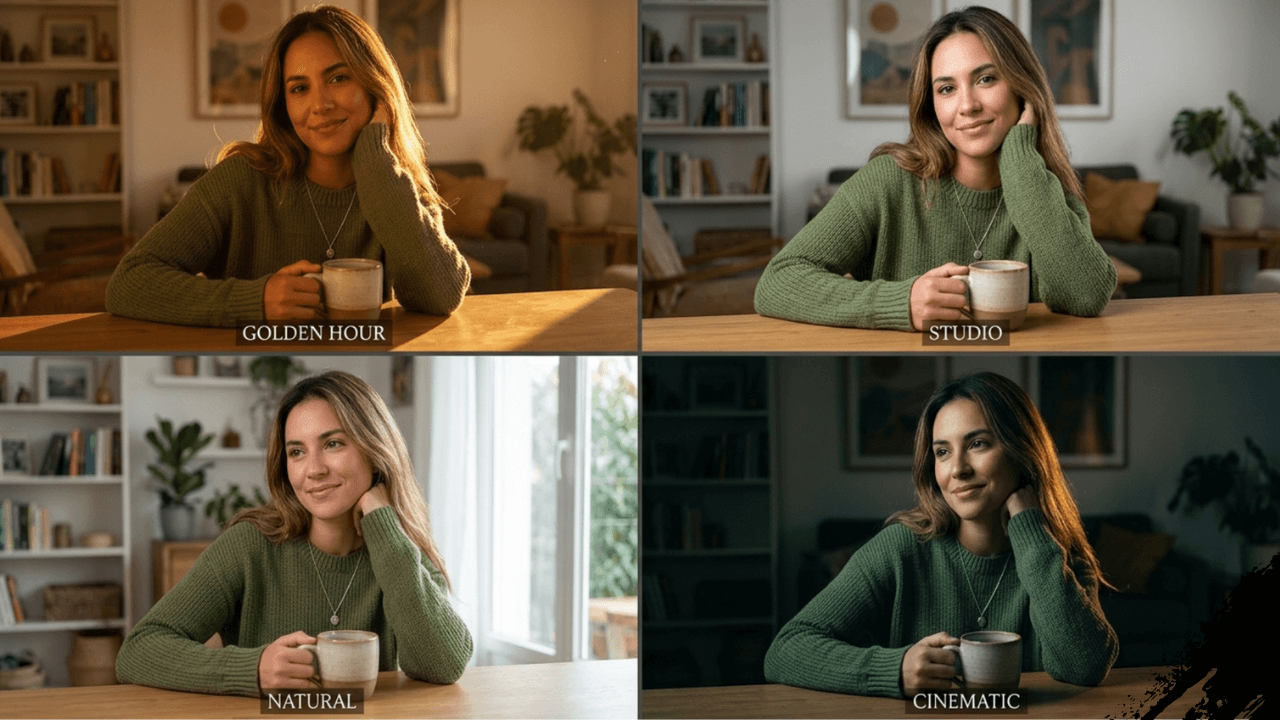
This is why clearer descriptions usually give better results. When I started being more specific about lighting and composition, my images transformed. For example, instead of “a person,” I’d write “a person in golden hour light with soft shadows.” The difference was remarkable.
To understand how different tools handle this process, my comparison guide [Midjourney vs Leonardo vs Stable Diffusion] explains how each platform approaches text-to-image generation uniquely.
Practical Examples (No Prompt Dumping)
Instead of listing prompts, let’s look at conceptual examples.
Example 1: Vague vs Clear Description
A vague description like “a person standing” gives the AI very little direction. The result may feel generic or inconsistent.
A clearer description such as “a person standing outdoors during sunset” helps the AI decide lighting, colors, and mood more accurately.
Example 2: Style Change
If you ask for an image “in a realistic photography style,” the AI focuses on textures, shadows, and depth.
If you ask for an “illustrated or cartoon style,” the same subject will look completely different.
The words you choose guide the AI’s visual decisions, not commands. I learned to think like a director giving instructions to an artist, not like a programmer giving commands to a computer.
For those interested in achieving photorealistic results, my guide on [Leonardo AI for Realistic Images] covers specific techniques that work well for this tool.
Common Mistakes Beginners Make
Many beginners struggle not because the technology is weak, but because expectations are unclear. I made every mistake on this list.
Overloading descriptions
Trying to describe everything at once often confuses the model and reduces quality. Focus on one main idea.
Expecting perfect realism instantly
AI images improve with clarity and refinement. First results are not always final results. My guide on [Why AI Images Look Fake and How to Fix It] explains this in detail.
Mixing conflicting styles
Combining realistic photography with heavy illustration styles can create unnatural outputs. Pick one style and stick to it.
Assuming AI understands intent
The AI only understands what is written, not what you mean internally. If you don’t write it, it doesn’t exist.
These mistakes cost me months of frustration. Once I understood them, my results improved dramatically.
Tips and Best Practices for Better Results

Start simple and refine step by step. Focus on one main idea per image. Be consistent with style and tone. Use descriptive but natural language. Think in terms of visuals, not commands.
My Experience: Good results come from clarity, not complexity. I keep a notebook of successful descriptions and what made them work. It’s become my most valuable resource.
For more advanced techniques, my guide on [How to Customize AI Prompts for Realism] walks through specific strategies that have worked for me.
Frequently Asked Questions (FAQs)
Is text to image AI the same as photo editing?
No. Text to image creates images from scratch. Photo editing modifies existing images.Do I need design skills to use text to image AI?
No design background is required. Understanding concepts is more important than technical skills.Why do some images look unrealistic?
Unclear descriptions, conflicting styles, or unrealistic expectations can affect results. My guide [Common Beginner Mistakes in AI Image Generation] covers this in depth.Can beginners really use text to image AI effectively?
Yes. With basic understanding and practice, beginners can achieve strong results. I started as a complete beginner.
Conclusion
Text to image AI is not magic, but it is powerful when used correctly. It works best when you understand how your words guide the system and how the AI interprets visual concepts.
This beginner guide focused on helping you understand the idea behind text to image AI without overwhelming you. For a complete breakdown of how AI image generation works from start to finish, including models, prompts, and realistic results, refer back to the AI Image Generation Guide .
Thank you for reading!