Introduction
When I first started using AI image generators, I assumed the models “understood” images the way humans do. I thought they could recognize objects, emotions, and context just like we can. It took me months of confusion and inconsistent results to realize how wrong I was.
My name is Abuzar, and I have been working with AI image generation for several years. I have tested different tools, models, and workflows across real-world use cases, from beginners experimenting with AI visuals to professionals using them for content and design.
This article is based on hands-on experience, not theory. The goal is to help you understand how AI image models actually “think” so you can get better, more predictable results instead of guessing.
Many people use AI image generators daily, but very few understand what is happening behind the scenes. When an AI creates an image, it is not “seeing” the image the way humans do. It is interpreting data, patterns, and probabilities learned during training.
Understanding how AI image models understand images is one of the most important steps toward getting consistent and realistic results. Once you grasp this concept, prompts start making more sense, mistakes reduce, and results become easier to control.
For a complete foundation in AI image generation, including how models fit into the bigger picture, check out our comprehensive AI Image Generation Guide . It explains everything from basic concepts to advanced techniques.
Core Concept: What Is an AI Image Model?
An AI image model is a trained system that has learned how images relate to language.
It does not understand meaning like a human. Instead, it learns through:
- Massive datasets of images
- Associated text descriptions
- Repeated pattern recognition
- Statistical relationships between words and visual elements
When you type a prompt, the model converts words into numerical representations and then predicts what pixels should exist based on probability, not intention.

This distinction changed everything for me. Once I understood that the model doesn’t “know” what a cat is – it just knows patterns associated with the word “cat” – I stopped being frustrated by its limitations and started working within them.
In simple terms:
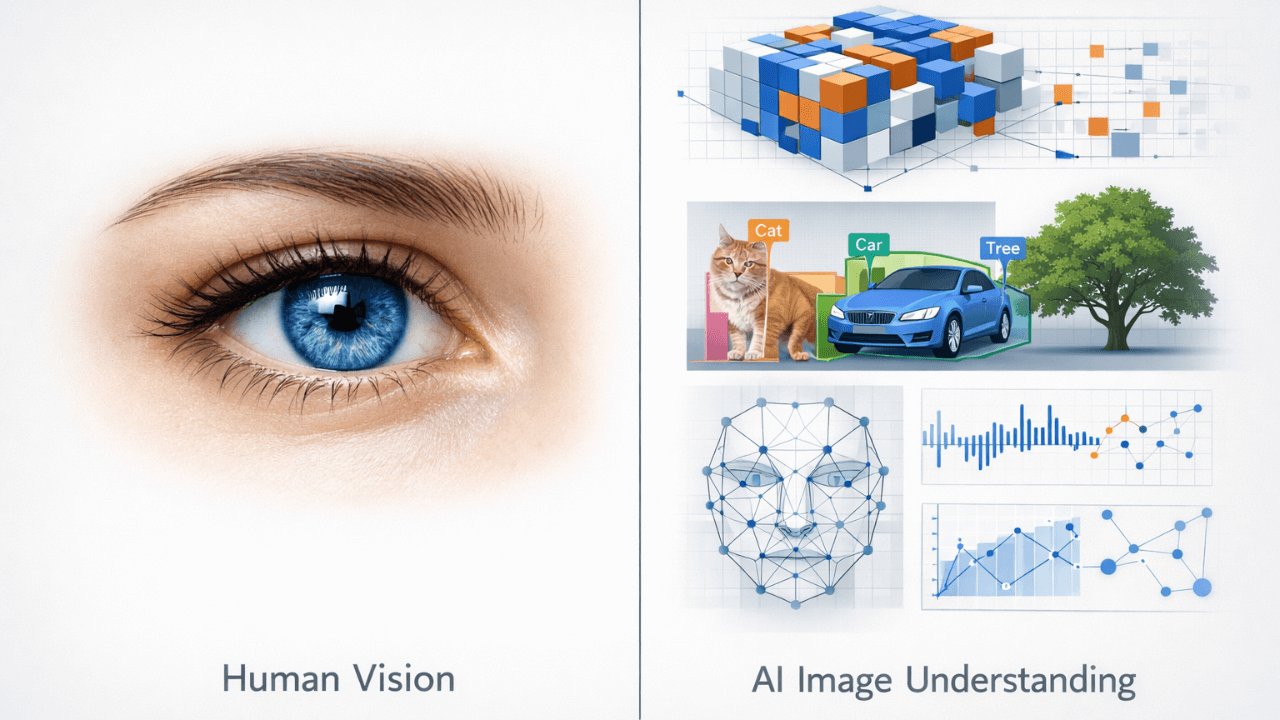
- Humans understand images emotionally and contextually
- AI models understand images mathematically and statistically
That difference explains most beginner confusion.
How AI Models Learn Images
Training on Image–Text Pairs
AI image models are trained on millions or billions of image–text pairs.
For example:
- A photo of a cat paired with the word “cat”
- A portrait paired with words like “studio lighting” or “close-up face”
Over time, the model learns:
- What visual patterns match certain words
- Which shapes, colors, and textures often appear together
- How styles and concepts repeat
The model does not store images. It stores relationships. This is why it can create something completely new that still looks like what you asked for. It’s combining patterns, not copying pictures.
Breaking Images into Visual Concepts
AI models do not see “a face” as one object.
They break images into:
- Shapes
- Edges
- Light and shadow
- Color gradients
- Spatial relationships
That is why models often struggle with hands and fingers, complex interactions, or exact object counts. They are predicting patterns, not understanding anatomy. When I learned this, I stopped expecting perfection and started appreciating the technology for what it is.
To see how different models handle these challenges, our comparison guide [Midjourney vs Leonardo vs Stable Diffusion] breaks down each tool’s strengths and weaknesses.
Practical Examples
Example 1: Why Style Keywords Matter
If you describe a scene without a style, the model fills the gap using common training patterns. That is why results may look generic.
When you add a style reference, you are guiding the probability space the model uses to generate the image.
This is not magic. It is narrowing the model’s decision range. I tested this by generating the same subject with and without style keywords – the difference was dramatic.
Example 2: Why Vague Prompts Give Inconsistent Results
A prompt like “a beautiful portrait” can produce very different outputs each time.
Why? Because “beautiful” is not a fixed visual concept.
AI models respond better to concrete visual ideas, recognizable patterns, and common photographic concepts. Once I started using terms like “soft lighting” or “sharp focus” instead of “beautiful” or “amazing,” my results became much more consistent.
For more on crafting effective prompts, our guide on [How to Customize AI Prompts for Realism] provides practical techniques that work across different models.
Common Beginner Mistakes
1. Assuming the Model Understands Intent
AI does not understand what you want. It only responds to what it recognizes statistically.
This leads to frustration when users expect the model to “figure it out.” I made this mistake for months.
2. Mixing Conflicting Visual Concepts
Combining unrelated styles or ideas confuses the probability system.
For example:
- Mixing realism with abstract art without clarity
- Combining cinematic lighting with flat illustration styles
The model tries to average conflicting data, often producing weak results. I learned to pick one style and stick to it.
3. Blaming the Tool Instead of the Model
Different tools often use different models. If results vary, it is usually because:
- The model was trained differently
- The dataset emphasizes different styles
- The interpretation rules vary
Understanding models helps you choose tools wisely. Our guide on [Common Beginner Mistakes in AI Image Generation] covers these issues in detail.
Tips and Best Practices
Learn the Model Before Optimizing Prompts
Before chasing advanced prompts, learn:
- What the model is good at
- What it struggles with
- What styles it favors
This saves time and reduces trial and error. I keep notes on what works with each model.
Think in Visual Language, Not Human Language
AI models respond best to:
- Visual descriptors
- Common photography and art terms
- Recognizable patterns
Avoid emotional or abstract language unless the model is known to handle it well. “Golden hour light” works better than “beautiful warm feeling.”
Connect Models with the Full Workflow
AI image generation works best when you understand:
- Text to image process
- Role of prompts
- Model limitations
- Output generation
All of these are connected. For a complete understanding, our [AI Image Generation Guide] ties everything together.
Frequently Asked Questions (FAQ)
Do AI image models actually understand images?
No. They do not understand images the way humans do. They recognize patterns and relationships based on training data.
Why do different models give different results for the same prompt?
Because each model is trained on different datasets and prioritizes different visual patterns. Our guide [Midjourney vs Leonardo vs Stable Diffusion] explains these differences.
Can I control results better by changing the model?
Yes. Choosing the right model often has a bigger impact than changing the prompt. For realistic images, [Leonardo AI for Realistic Images] is a great choice.
Is learning models necessary for beginners?
Not at first, but understanding models early helps beginners avoid common mistakes and unrealistic expectations. Our guide on [Stable Diffusion Explained for Beginners] makes it accessible.
Conclusion
AI image models are the engine behind every generated image. They do not think, imagine, or understand intent. They predict visual outcomes based on learned patterns.
Once you understand how models interpret images, everything else becomes clearer. Prompts feel more logical, results become more predictable, and frustration decreases.
This article focused only on AI image models, but they are just one part of the system. To truly master AI image generation, connect this knowledge with prompts, workflows, and output control using the AI Image Generation Guide as your main reference point.
Thank you for reading!