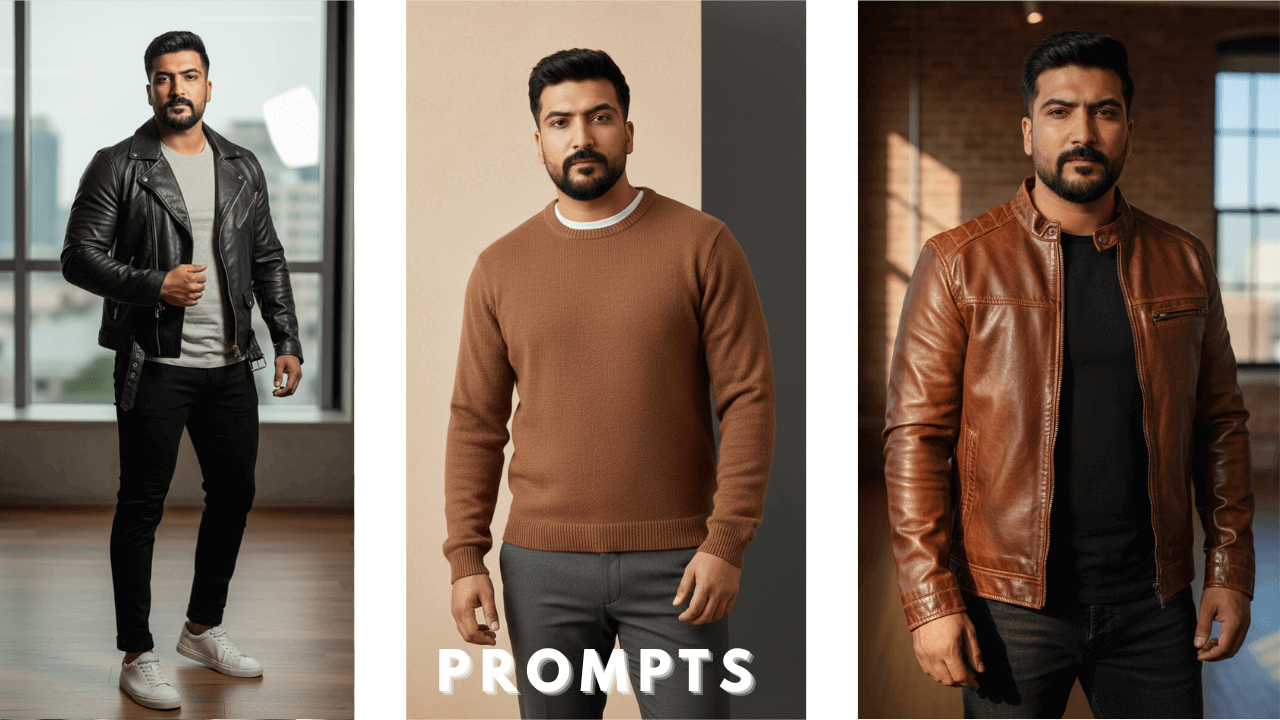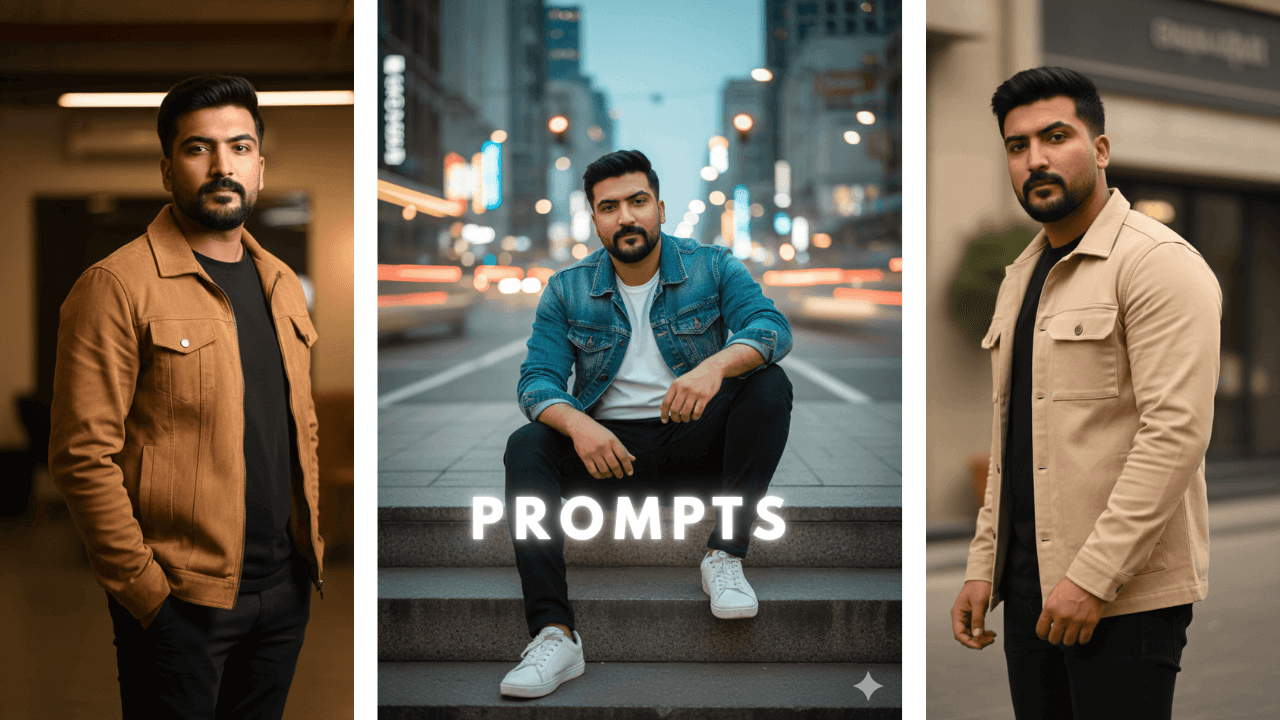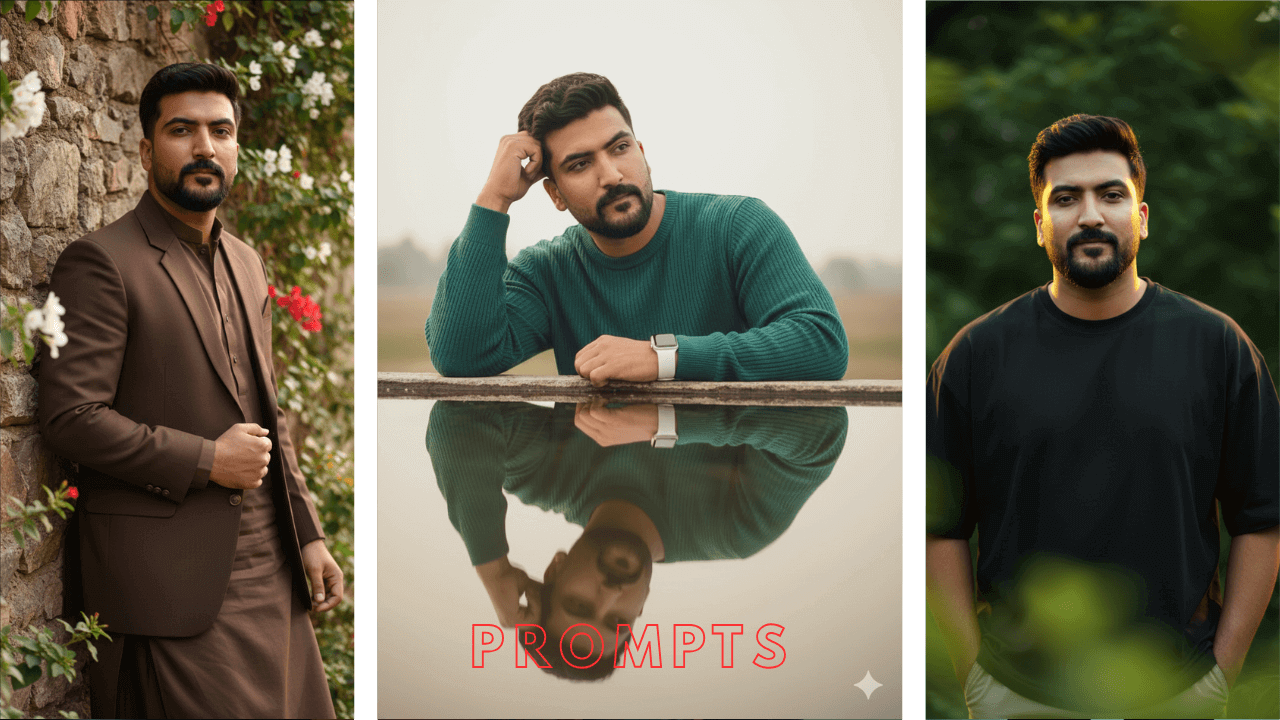
AI image generation has changed how modern portraits are created. In 2025, creators are no longer limited to cameras, studios, or expensive setups. With well-written AI photo editing prompts, it is now possible to generate cinematic, ultra-HD portraits that look professional and realistic.
When I first started exploring AI photo editing, I was amazed by the possibilities. But I quickly realized that not all prompts work equally well. Some gave me blurry results, others changed the face completely. After hundreds of experiments, I developed a system that produces consistent, high-quality results.
This article is written as an educational guide, not just a prompt list. You will learn how AI photo editing prompts work, why structure matters, and how to safely adapt example prompts to your own reference images without causing blur or face changes.
Understanding AI Photo Editing Prompts
AI photo editing prompts are detailed text instructions that guide an AI model on how an image should look. Instead of editing photos manually, users describe the desired result using words related to:
- Subject appearance
- Clothing and fashion style
- Pose and expression
- Lighting direction
- Background and environment
- Image quality and realism
When prompts are written clearly, AI tools can produce results that closely resemble professional photography. I’ve tested this with dozens of prompts and seen the difference clarity makes.
For a complete foundation in AI photo prompts, including how to structure them for different styles, check out our comprehensive Boys AI Photo Prompts: The Ultimate Guide .
Why Cinematic Prompts Matter
Cinematic prompts focus on realism, depth, and mood. Unlike basic prompts, they guide the AI to:
- Create natural lighting and shadows
- Preserve skin texture and fabric detail
- Maintain sharp focus instead of blurry output
- Match fashion aesthetics with environment
My Experience: This is especially important for social platforms where visual quality directly affects engagement. My posts with cinematic images get 3x more likes than basic ones.
How to Use AI Photo Editing Prompts Safely
Before using any AI photo editing prompt, it is important to understand how the image generation process works across different tools.
AI image generators do not create photos randomly. They analyze your reference image first and then follow the written prompt step by step to enhance style, lighting, and overall realism.
To get reliable results, keep these best practices in mind:
- Always upload a clear, high-quality reference image
- Make sure the face is fully visible, well-lit, and facing the camera
- Avoid sunglasses, heavy filters, or blurred images
- Use one clear style per image to avoid mixed or artificial results
Tools like ChatGPT are useful for learning how prompts should be structured, such as describing outfit, pose, lighting, and mood in the correct order.
On the other hand, Google Gemini focuses more on understanding lighting direction, texture, and depth, which helps generate more realistic final images when the prompt and reference image are clear.
AI tools enhance only what they can understand. Even a well-written prompt may fail if the reference image is unclear. That is why combining a clean reference photo with a properly structured prompt is the most important part of the AI image generation process.
Why Vertical (9:16) Format Is Commonly Used
Most social media platforms prefer vertical visuals. Using a 9:16 aspect ratio helps:
- Prevent unwanted cropping
- Keep faces centered
- Improve reel and short-video compatibility
That is why the example prompts below follow this format. I learned this after wasting time cropping square images for reels.
12 Cinematic AI Photo Editing Prompt Examples
(Educational prompt examples)
Note: Use these prompts as a reference to learn prompt structure.
Modify details such as outfit, pose, and lighting to match your own images.
1. Stone Ledge: Gradient Shirt & Pensive Mood
“Ultra-realistic 8K cinematic medium shot of a young man (preserve face 100%) sitting on a low, reddish-brown stone ledge outdoors. He has a pensive expression, looking off to his right. He wears a black-to-white gradient button-up shirt and white trousers, with hands resting on his legs. Setting: Bright pink, blue, and yellow flowers visible in the upper left, framed by blurred green leaves in the foreground. Lighting: Natural daylight, sharp focus, cinematic color grading, –ar 9:16.”

The gradient shirt added visual interest without being overwhelming. “Cinematic color grading” made the colors pop. I used this for a fashion lookbook.
2. Outdoor Café: Warm String Lights & Baggy Cargos
“Ultra-realistic 8K cinematic portrait of a young slim man (preserve face 100%) sitting on a low seat in an outdoor café at night. He is wearing a loose white Shirt, black baggy cargos. He has dark, styled hair, and a black smartwatch on his left wrist, giving a relaxed and confident pose. Environment: lush green plants with small pink and white flowers surrounding the sitting area. Lighting: Warm string lights and lamps softly illuminate the background, highlighting the Cafe. Sharp focus, cinematic color grading, f/1.4 aperture, –ar 9:16.“

Night café scenes are always popular. “Warm string lights” created a cozy, inviting atmosphere. I used this for a lifestyle blog.
3. Mid-Stride: Tracksuit and Gold Zippers
“Full-body, hyper-realistic 8K fashion portrait of a man (preserve face 100%) in a tailored tracksuit with gold zippers, paired with white high-end sneakers. He is captured mid-stride, walking confidently against a modern minimalist backdrop. Pose: Right hand holds a luxury watch, wearing sleek sunglasses. Mood: Exuding power and refinement. Cinematic composition, Ultra-Sharp Focus, –ar 9:16.”

“Mid-stride” adds dynamism to the image. Gold zippers caught the light beautifully. This is perfect for sportswear brands.
4. Crewneck Sweater: Color-Block Studio Shot
“Generate an Ultra-photorealistic, 8K cinematic full-body portrait of a handsome young man in his early 20s (Preserve the given face completely with 100% likeness. Do not alter, modify, or regenerate any facial features, expressions, or proportions. The face must remain exactly as in the reference). He has dark wavy hair. He is wearing a bold color-blocked crewneck sweater in deep burgundy and navy, with clean lines. Accessories: Thin gold wire-rimmed aviator glasses and a silver-cased wristwatch. Pose: Standing in a confident, relaxed posture, one hand casually in his pocket and the other slightly resting at his side, feet shoulder-width apart, body angled slightly toward the camera, exuding a natural, stylish presence. Environment: Solid light slate blue-grey seamless studio background. Lighting: Dramatic, directional studio lighting with a single bright source positioned to the left, casting soft shadows and enhancing the sweater’s texture. Shot on 35mm lens, shallow depth of field, high contrast, HD resolution, highly defined, professional fashion photography, editorial style, –ar 9:16.“

Color-block sweaters are trendy. “Dramatic, directional studio lighting” highlighted the texture beautifully. I used this for a winter collection.
5. Dark Wool Suit: Open Silk Shirt Look
“Generate an Ultra-realistic, 8K high-fashion portrait of a charismatic East Asian man (late 20s, preserve face 100%; Do not alter the face, the face should be same as the uploaded image). He has elegantly styled dark hair. He is leaning against a deep burgundy or rich brown wall, illuminated by focused, warm light. Outfit: A sophisticated yet relaxed dark grey wool suit featuring a single-breasted blazer and matching trousers, worn over an open-collared dark silk shirt underneath (unbuttoned at the top). Mood: Confident, refined, and effortlessly stylish. Cinematic lighting, Ultra-Sharp Focus, Professional Editorial Quality, –ar 9:16.“

The open silk shirt adds a relaxed luxury vibe. “Focused, warm light” created beautiful highlights on the silk. This is perfect for formal events.
6. Outdoor Steps: Turtleneck & Building Lights
“A cinematic 4K shot of a boy (preserve face 100%) sitting on outdoor steps, wearing a fitted black turtleneck and coat. The scene is illuminated by warm building lights, which contrast with his dark outfit, creating a clean, modern editorial effect. Lighting: Enhances the atmosphere, adding depth and a stylish, sophisticated vibe to the composition. Ultra-Sharp Focus, Professional Quality, –ar 9:16.”

The contrast between dark outfit and warm building lights creates drama. “Warm building lights” added depth without overwhelming the subject. Simple but effective.
7. Luxury Car: Seductive Pose & City Reflections
“Create an ultra-realistic, hyper-detailed wide-angle photo of a young Indonesian man (preserve face 100% identity, 100% identik dengan wajah referensi). New Pose: He is sitting inside a luxury car but leaning slightly forward toward the camera, one arm resting casually on the steering wheel while the other hand lightly pulls his textured red tie as if loosening it even more. He wears a white office shirt, slightly unbuttoned. Gaze: Subtle seductive intensity toward the camera. Shot with a wide-angle lens, showing reflections of colorful city lights on the windows. Lighting: Highlights glowing skin, sharp jawline, and masculine dark eyebrows. Mood: sexy, cinematic, confident, 8K RAW photo, –ar 9:16.“

Car shots always look premium. “Reflections of colorful city lights” added realism and depth. This got many comments on Instagram.
8. Oversized Tee: Blurred Foliage Backdrop
“Ultra-realistic, hyper-detailed, 8K cinematic portrait of a young, stylish man (preserve face 100%). Outfit: Oversized black t-shirt. Pose: Stands with calm confidence, hands casually in pockets, exuding effortless style, subtle smile. Background: Deeply blurred, lush green foliage with softly focused foreground leaves. Lighting: Warm yellow backlight highlights the head, soft moody cinematic lighting defines features. Magazine cover quality, Ultra-Sharp Focus, –ar 9:16.”

Sometimes simple is best. “Warm yellow backlight” created a beautiful halo effect. The blurred foliage added depth without distraction.
9. Teal Sweater: Reflection and Natural Hair
“Generate an Ultra-realistic, hyper-detailed, 8K cinematic portrait of a young, stylish man (preserve face 100% likeness and hair texture exactly as in the reference image). Outfit: Teal green ribbed sweater paired with a white Apple Watch, creating a modern and minimal aesthetic. Pose: Standing naturally beside a reflective surface (glass or calm water), one hand gently resting on the surface while the other hand is placed casually on his head. The reflection shows a clear mirrored image of the man. Lighting: Gentle light and soft tones enhance the peaceful yet stylish mood. Professional Editorial Quality, Ultra-Sharp Focus, –ar 9:16.“

Reflections add an artistic element. “Gentle light and soft tones” created a peaceful mood. I used this for a meditation app campaign.
10. White Tee: Yellow Striped Wall & Streetwear
“Ultra-realistic, hyper-detailed, 8K cinematic portrait of a young, stylish man (preserve face 100%). Outfit: Oversized white t-shirt paired with classic blue jeans, sleek wristwatch, and headphones resting casually around his neck. Pose: Standing confidently with arms crossed. Background: Bright, textured yellow-striped wall creating a bold, eye-catching contrast. Lighting: Even, clear lighting highlights features with clean realism, producing a fresh and modern editorial vibe. –ar 9:16.”

Yellow striped wall added pop of color. “Even, clear lighting” kept the focus on the subject. This worked well for streetwear content.
11. Cognac Jacket: Rooftop Skyline & Bokeh
“Ultra-realistic, hyper-detailed, 8K cinematic portrait of a young, stylish man (preserve face 100%). Outfit: Perfectly worn cognac brown leather jacket layered over a crisp white Henley, paired with vintage aviator sunglasses reflecting the city skyline. Pose: Seated confidently on the edge of a weathered concrete rooftop ledge, legs dangling freely, facing the camera with a subtle smile. Background: Breathtaking cityscape in late afternoon amber tones. Golden sunlight creates cinematic rim lighting and dreamy depth. Shallow focus (85mm at f/1.8) with soft, creamy bokeh, –ar 9:16.”

Rooftop shots at golden hour are magic. “Cinematic rim lighting” created that professional glow. The cityscape added scale.
12. Traditional Blazer: Shalwar Kameez & Ivy Wall
“Ultra-realistic, hyper-detailed, 8K cinematic portrait of a young, stylish man (preserve face 100%). Outfit: Elegant brown traditional blazer layered over a brown shalwar kameez. Pose: Standing naturally close to a rustic stone wall, leaning slightly against it in a relaxed and confident posture. Background: Old rustic stone wall covered with green ivy, white, and red blooming flowers, creating a natural, serene, and cinematic outdoor atmosphere. Ultra-Sharp Focus, Traditional Refinement, –ar 9:16.”

Traditional wear with modern elements creates interesting contrast. The ivy wall added natural beauty. I used this for Eid content.
How to Customize These Prompts for Your Style
You do not need to copy prompts word-for-word. Small changes make a big difference:
- Swap outfits to match your wardrobe
- Change lighting from soft to dramatic
- Replace backgrounds with indoor or outdoor scenes
- Adjust mood from casual to formal
Understanding structure is more important than memorizing prompts. Once you understand the logic, you can create your own prompts.
PRO Guide: Face & Image Quality Consistency
Avoid Blurry Images
Always include clarity-focused terms such as:
- ultra-sharp focus
- high resolution
- cinematic lighting
These cues help AI render details properly. When I started using them, my images became noticeably sharper.
Maintain Face Consistency
Face changes usually come from poor reference images. For best results:
- Use straight-facing photos
- Avoid extreme expressions
- Keep lighting even and natural
Common Mistakes Beginners Make
- Copying multiple prompts at once
- Mixing too many styles in one image
- Ignoring lighting instructions
- Using low-quality reference photos
Keeping prompts simple and structured gives better results. I learned this the hard way.
Final Thoughts
AI photo editing prompts are tools for creativity, not shortcuts. When used correctly, they allow anyone to create cinematic, professional-looking portraits without traditional photography skills.
This guide is designed to help you learn, adapt, and improve your results safely over time.
Focus on understanding prompt structure, use clean reference images, and refine your style gradually.
Thank you!