
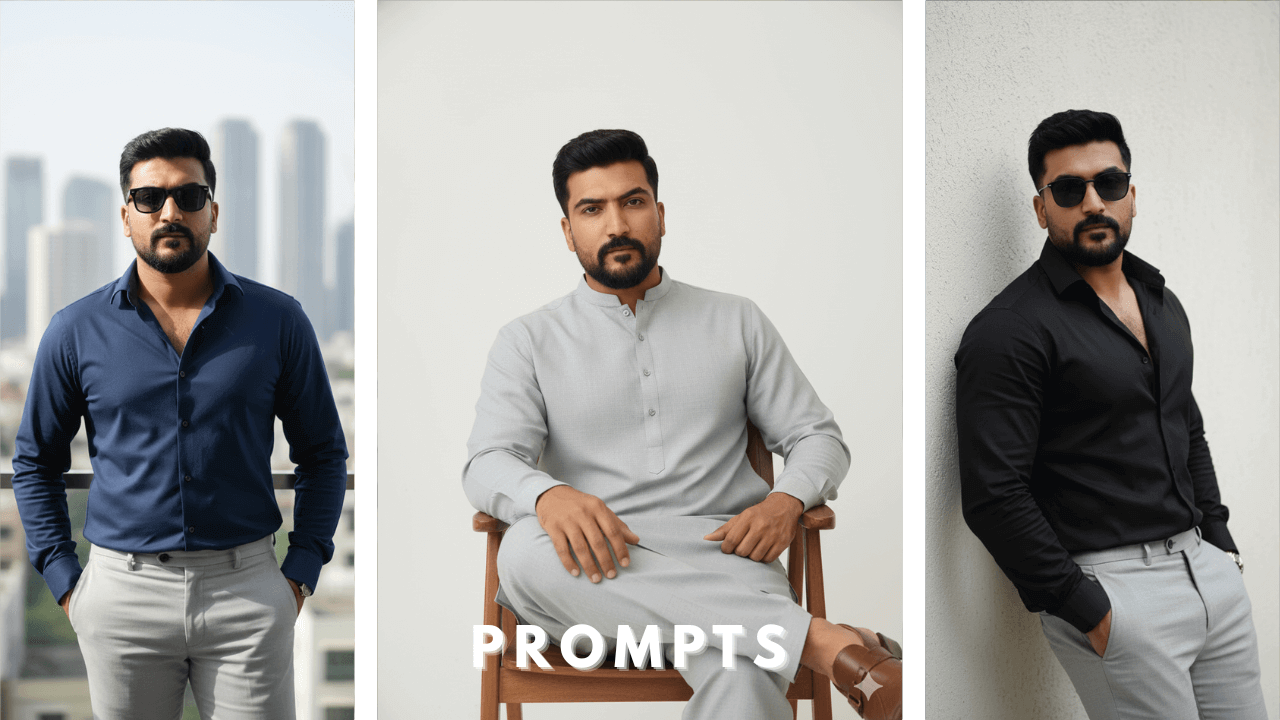
Creating ultra-realistic AI portraits while keeping the exact same face is one of the biggest challenges in AI photo editing. Many users experience face distortion, identity shifts, or unrealistic outputs, especially when applying cinematic lighting, fashion styling, or dramatic environments.
When I first started using AI for portraits, I was frustrated by how often the face changed. I would use the same reference image, write what I thought was a good prompt, and get back a completely different person. After months of research and testing, I finally understood what was going wrong.
This guide is written as an educational resource, not just a prompt list. You will learn why face changes happen, how AI models interpret reference images, and how example prompts should be adapted to your own photos for consistent results.
Why Face Consistency Is Difficult in AI Photo Editing
AI image models do not “remember” faces the way humans do. They rebuild facial structure based on visual clues in the reference image. When those clues are weak or distorted, the AI fills the gaps with guesses.
Common reasons face consistency fails:
- Unclear or low-quality reference images
- Side-angle or partially hidden faces
- Beauty filters or heavy edits on selfies
- Stacking multiple prompts at once
- Unclear instructions about identity preservation
Understanding this problem is the first step toward solving it. Once I knew why faces were changing, I could fix my workflow.
To understand the fundamental structure of prompts that work for all types of portraits, including same-face editing, refer to our comprehensive Boys AI Photo Prompts: The Ultimate Guide .
Image Generation Process for Same-Face Results (Very Important)
Before using any AI photo editing prompt, the process matters more than the wording, whether you are working in tools like ChatGPT or Google Gemini.
AI image models follow step-based instructions. If the workflow is incorrect, even well-written prompts may fail to preserve facial identity.
Step-by-Step Workflow
1. Choose a clean reference image
Use a natural photo taken from a normal camera angle. The face should be front-facing, well-lit, and clearly visible. This helps AI tools like ChatGPT and Google Gemini correctly identify facial structure.
2. Upload the reference image first
Always upload the image into your AI tool before pasting the prompt. Both ChatGPT and Google Gemini rely on the uploaded image to map facial features accurately before applying any styling changes.
3. Mention face consistency clearly
Use simple, direct phrases such as:
- “exact same face from the uploaded image”
- “100% facial likeness preserved”
Clear instructions help the AI understand that identity must remain unchanged while editing style, lighting, or environment.
4. Avoid filtered or edited selfies
Filters distort facial landmarks and confuse AI face mapping. For best results on platforms like Google Gemini and ChatGPT, always use clean, unfiltered reference images.
5. Paste one prompt at a time
Combining multiple prompts in a single request often confuses the model and increases the risk of face changes.
Following this workflow alone solves most “face change” issues, regardless of which AI image generation tool you use.
Why Prompt Structure Matters for Same-Face Editing
A well-structured prompt helps the AI understand what should change and what must remain the same.
A strong same-face prompt focuses on:
- Clothing and styling changes
- Lighting and environment
- Pose and mood
While keeping facial identity locked.
When structure is missing, the AI may rebuild the face along with the scene, resulting in inconsistency.
Example AI Photo Editing Prompts with Same Face
(For learning and demonstration purposes only)
Note: The prompts below are shared to explain structure, styling, and lighting concepts.
They are not fixed templates. Adjust clothing, locations, and overall mood according to your own reference image.
1. Modern Indoor Editorial – Window Edge
Prompt:
Ultra-realistic 8K modern editorial photograph using the exact same face. The model stands stylishly beside a large window inside a contemporary apartment, slightly leaning with one hand in pocket. He wears a fitted white shirt and charcoal trousers. Two-tone color palette (white & grey). Clean editorial lighting, entire frame razor sharp, fashion-model posture. No blur.
–ar 9:16

Window light is always flattering. “Clean editorial lighting” ensured no harsh shadows. I used this for a corporate profile.
2. Sofa Editorial Pose – Minimal Luxe
Prompt:
Ultra-realistic 8K fashion editorial image with unchanged face. The model sits casually on a modern sofa, one leg crossed, body angled confidently. He wears a beige shirt and black pants. Subtle luxury interior, muted brown and black tones. Sharp textures, high-fashion pose, no cinematic softness.
–ar 9:16

Sofa shots can look casual or luxury depending on styling. “Sharp textures” made the fabric look expensive. Perfect for lifestyle content.
3. Balcony Editorial Stand – Sunglasses
Prompt:
Ultra-realistic 8K modern fashion portrait using the same face. The model stands confidently on a minimalist balcony, wearing black sunglasses, a navy shirt, and light grey trousers. Strong posture, editorial attitude. Two-color styling (navy & grey). Ultra-sharp clarity, AI fashion realism.
–ar 9:16

Balcony shots with sunglasses create a cool, aloof vibe. “Ultra-sharp clarity” kept the focus sharp even with sunglasses. Great for summer content.
4. Studio-Style Indoor Corner – Editorial
Prompt:
Ultra-realistic 8K editorial fashion photograph with exact face match. The model leans against a clean interior wall, arms relaxed, wearing a black shirt and olive trousers. Controlled lighting, neutral background, strong model stance. Entire frame sharp, premium AI look.
–ar 9:16

Sometimes simple is best. “Controlled lighting” and “neutral background” let the subject shine. This became my go-to for profile pictures.
5.Leather Jacket Editorial – Model Standing Pose
Prompt:
Ultra-realistic 8K modern fashion editorial photograph using the exact same preserved face from the uploaded reference image. The model stands in a classic fashion photoshoot pose, body slightly angled, shoulders relaxed, chin up, confident expression.
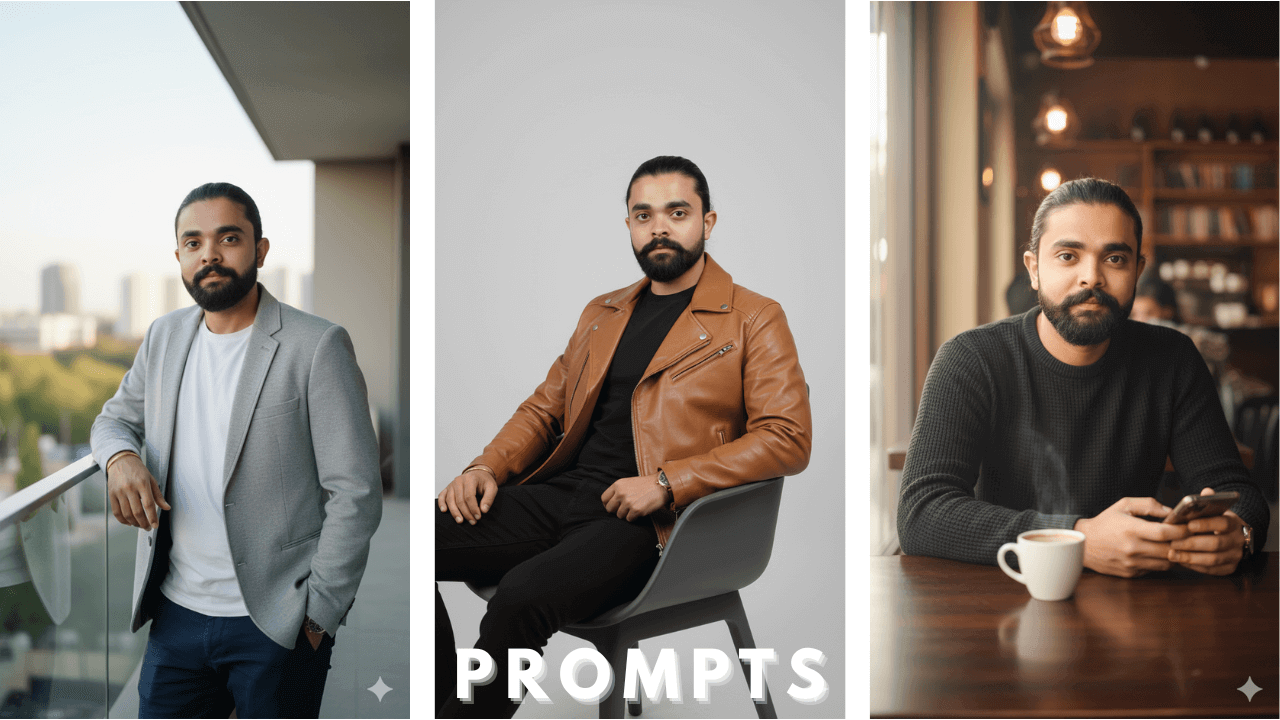
He is wearing a genuine leather jacket (matte finish), styled clean and structured, over a plain white t-shirt, paired with black straight-fit pants and minimal sneakers.
The setting is a clean modern interior with neutral tones, designed like a professional fashion shoot. Editorial lighting highlights the leather texture and sharp facial structure. Entire frame is razor-sharp from head to toe, no blur, no cinematic softness. High-end AI fashion realism, magazine-quality output.
–ar 9:16

Leather jackets need special attention to texture. “Editorial lighting” highlighted the matte finish perfectly. This looked like a real fashion magazine shoot.
6. Rooftop Editorial – Wind Feel
Prompt:
Ultra-realistic 8K fashion editorial portrait with unchanged face. The model stands on a rooftop terrace, shirt slightly open, confident stance. Wearing white shirt and dark trousers. Hair slightly wind-touched. Clean sky background, editorial lighting, crisp sharpness.
–ar 9:16

Rooftop shots with wind-touched hair add dynamism. “Crisp sharpness” kept everything in focus. Perfect for summer campaigns.
7. Modern Shalwar Kameez – Editorial Style
Prompt:
Ultra-realistic 8K modern ethnic fashion editorial using the same face. The model stands in a stylish pose wearing a solid navy shalwar kameez. Clean background, contemporary lighting, fashion-model posture. Sharp fabric texture, premium AI realism.
–ar 9:16

Traditional wear needs clean presentation. “Sharp fabric texture” made the shalwar kameez look real. I used this for Eid content.
8. Indoor Editorial Sitting on Bed Edge
Prompt:
Ultra-realistic 8K lifestyle editorial photograph with exact face. The model sits on the edge of a modern bed, elbows resting casually on knees. Wearing a muted brown shirt and black trousers. Minimal room, editorial framing, ultra-clear details.
–ar 9:16

Bedroom shots can look intimate and stylish. “Ultra-clear details” ensured the bedding and clothes looked real. Great for lifestyle blogs.
9. Sunglasses Editorial Lean – Indoor
Prompt:
Ultra-realistic 8K modern fashion image using the same face. The model leans against an interior wall wearing thin-frame sunglasses, a black shirt, and grey pants. Two-tone palette. Sharp lighting, fashion-brand editorial look.
–ar 9:16

Sunglasses indoors create a cool, mysterious vibe. “Sharp lighting” prevented the face from getting lost behind the glasses.
10. Modern Shalwar Kameez – Sitting Editorial
Prompt:
Ultra-realistic 8K editorial ethnic portrait with unchanged face. The model sits confidently on a minimalist chair wearing a light grey shalwar kameez. Clean background, fashion-magazine pose, ultra-sharp realism.
–ar 9:16

Sitting poses add variety. “Ultra-sharp realism” kept the focus on the face and fabric. Perfect for formal occasions.
11. Editorial Standing – Color Contrast
Prompt:
Ultra-realistic 8K modern editorial photograph using the same face. The model stands upright with strong posture, wearing a dark green shirt and beige trousers. Two-color contrast styling. Premium fashion lighting, crisp sharp image.
–ar 9:16

Color contrast adds visual interest. “Premium fashion lighting” made the colors pop without looking unnatural.
12. Luxury Indoor Editorial – Model Walk Pose
Prompt:
Ultra-realistic 8K high-end editorial fashion image with exact face match. The model is captured mid-step indoors, confident runway-style walk. Wearing a white shirt and black trousers. Clean luxury environment, sharp focus, unmistakable AI fashion quality.
–ar 9:16

Mid-step shots add energy. “Sharp focus” kept everything crisp despite the movement. This looked like a real runway moment.
PRO Tip Guide: Face & Quality Consistency (Must Read)
Achieving perfect face consistency depends more on the reference image than the prompt itself.
Image Sharpness Matters
Always include quality-forcing terms such as ultra-realistic, 4K or 8K, cinematic lighting, and sharp focus. These help avoid painterly or blurry results.
Face Accuracy Rules
- Avoid side-profile or extreme angles
- Don’t use filtered selfies
- Eyes, nose, and jawline must be clearly visible
- Use clean, high-resolution images
AI models lock facial structure based on visibility. The clearer the face, the stronger the identity retention.
Research Insight: Why Reference Images Matter More Than Prompts
After testing hundreds of AI portrait generations, one pattern becomes clear:
When filtered or side-angle images are used, AI models often alter facial structure, even with strong instructions. However, when a clean, front-facing image is used, facial identity remains stable across outfits, lighting, and environments.
Conclusion:
Face consistency is approximately 80% dependent on the reference image and 20% on prompt wording.
Final Thoughts
AI photo editing prompts with same face are powerful when used correctly. Instead of copying prompts blindly, focus on understanding process, structure, and reference image quality. With the right workflow, you can generate professional, cinematic portraits without losing facial identity.
This guide is designed to be an evergreen educational resource that supports long-term learning and safe AI usage.
Thank you!
OMG