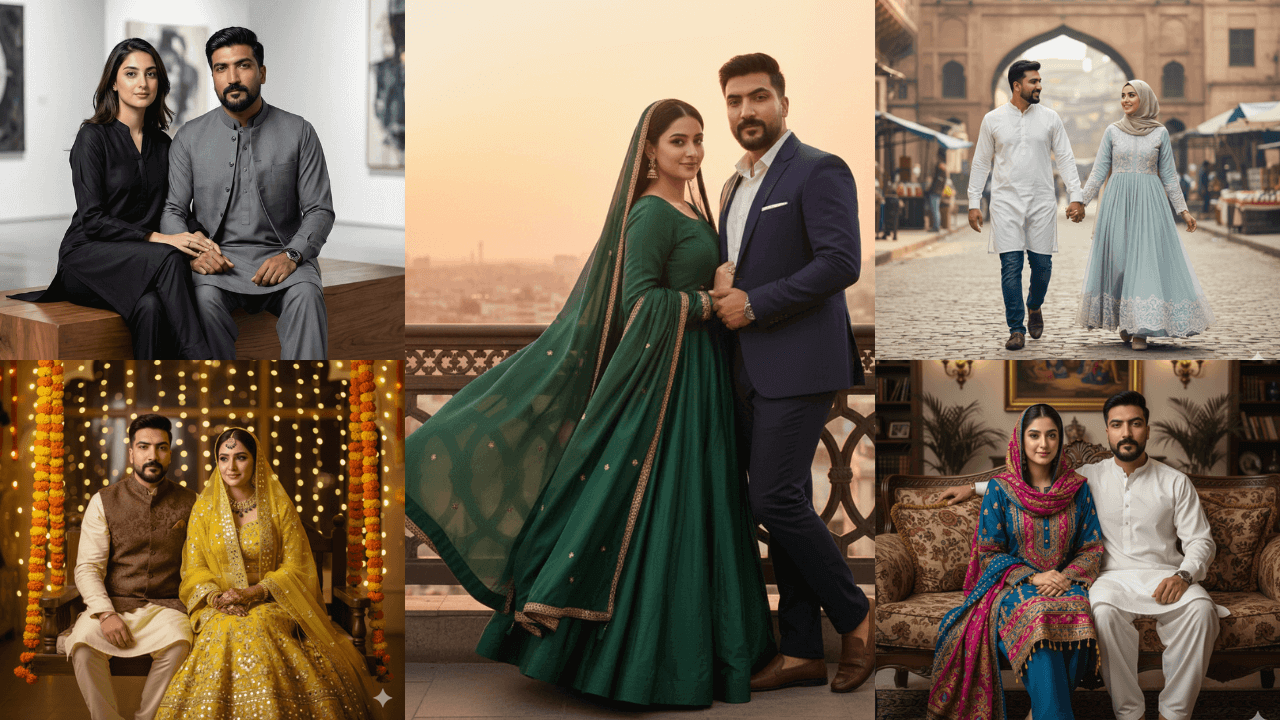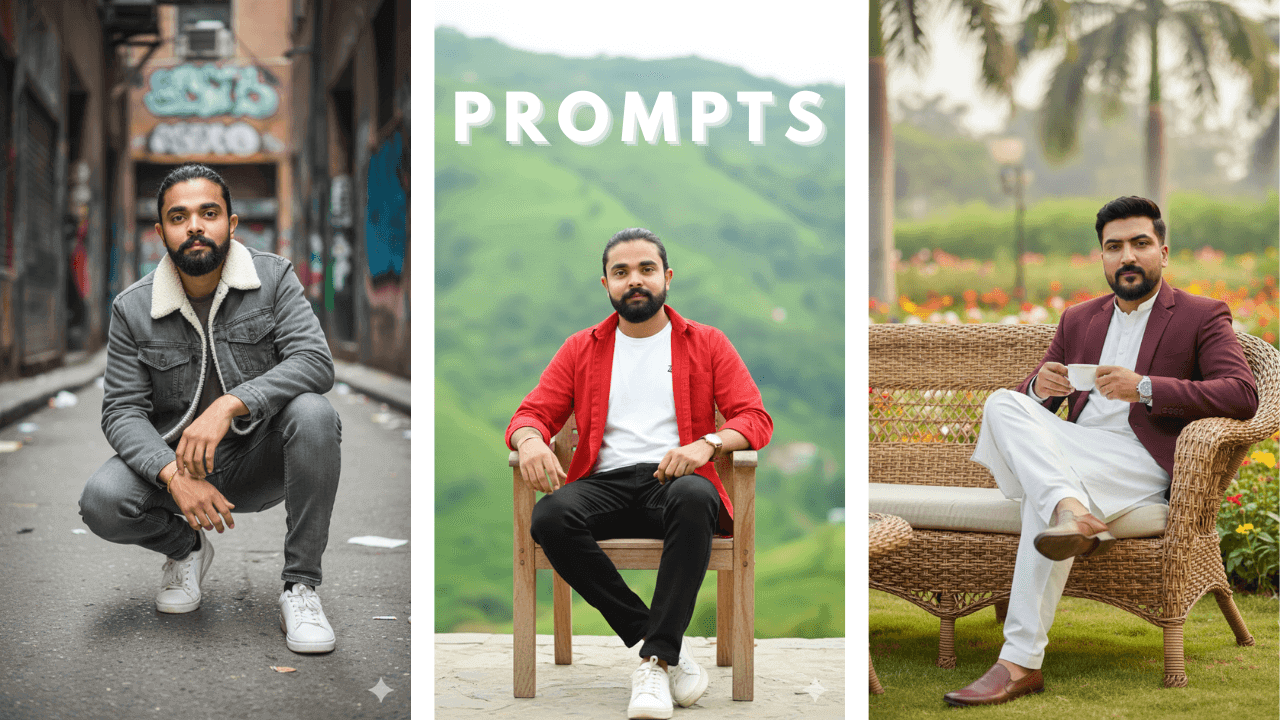
AI photo editing has changed the way digital portraits are created. With the right prompt structure, creators can now generate cinematic, fashion-style, and ultra-realistic portraits without cameras, studios, or professional photography setups. This guide focuses on how ChatGPT photo editing prompts work, not just what to copy and paste.
When I first started using ChatGPT for image generation, I was surprised by how well it understood detailed instructions. But I also made many mistakes. After months of testing, I’ve developed a system that works consistently.
Rather than acting as a simple prompt list, this article explains why these prompts work, how to adapt them, and how to avoid common mistakes when generating AI portraits using ChatGPT or Google Gemini.
Before diving into ChatGPT-specific prompts, it’s essential to understand the basic structure that works for all AI portraits. Our comprehensive Boys AI Photo Prompts: The Ultimate Guide covers the fundamentals you need to know.
Why Prompt Structure Matters in AI Photo Editing
AI image tools do not “understand” images like humans. They follow instructions based on written descriptions. A well-structured prompt helps the AI correctly interpret:
- Subject appearance and age
- Outfit and fashion style
- Pose and expression
- Lighting direction and intensity
- Background and environment
- Overall mood and realism level
When these elements are missing or unclear, the result often looks blurry, artificial, or inconsistent. I learned this after many failed attempts where I expected the AI to “guess” what I wanted.
Why These Prompts Work on ChatGPT
These examples are written to work across multiple AI platforms by focusing on universal visual principles, not tool-specific tricks.
For ChatGPT: detailed descriptions of clothing, pose, and environment improve accuracy. I’ve found that ChatGPT responds well to clear, structured prompts that leave no room for confusion.
How to Use ChatGPT Photo Editing Prompts Correctly
Before copying any prompt, follow these steps to get better results. I learned these through trial and error:
Use a clear reference image with the face fully visible
Avoid sunglasses, heavy filters, or extreme angles. The AI needs to see your face clearly.
Keep the expression neutral or lightly posed
Extreme expressions can confuse the AI and cause face distortion.
Match your reference photo to the prompt style as closely as possible
If your reference shows casual clothes, don’t use a prompt describing formal wear.
AI enhances what it sees. It does not magically correct poor reference images. This was my biggest lesson.
Understanding Technical Keywords (Important)
You will notice technical terms inside the prompts such as:
- Ultra-Sharp Focus
- 4K / 8K RAW Photo
- Cinematic Lighting
- Shallow Depth of Field
- –ar 9:16
These keywords guide the AI toward image clarity, depth, and composition. They are not magic words, but when used naturally, they help reduce blur and low-quality output.
12 Cinematic ChatGPT Photo Editing Prompt Examples
(Educational examples – adapt to your own images)
Note:
The prompts below are provided only as examples to explain structure, styling, and lighting concepts.
They are not fixed templates. Always modify outfits, locations, and mood based on your own reference image.
1. Rustic Stairs: Thoughtful Urban Decay
“Vibrant, ultra-sharp cinematic portrait of a stylish young man (preserve face 100%) sits on rustic metal stairs outdoors, leaning slightly forward with a thoughtful, relaxed pose. He wears round dark sunglasses, a light beige button-up shirt with rolled-up sleeves, loose black pants, and patterned canvas sneakers. Gold wristwatch catches subtle natural light. Setting: weathered stone walls and aged iron railings, creating a vintage, urban-decay atmosphere. Lighting: Soft, diffused daylight enhances the earthy tones. Editorial fashion-photography look, shallow depth of field, warm, muted color grading, 8K RAW photo, –ar 9:16.”

I tried this prompt with my own photo. The “soft, diffused daylight” made a huge difference – the image didn’t look harsh or overexposed. The weathered stone walls added character. This is perfect for creative portfolios.
2. East-Asian Rooftop: Golden Hour Introspection
“A 4K ultra-HD portrait of a young man (preserve face 100%) stands on a rooftop balcony overlooking a densely packed East-Asian–style cityscape. He has slightly wavy, wind-tousled dark hair and a neatly groomed beard. He wears a light grey, subtly striped button-up shirt tucked into dark trousers. Lighting: Warm golden-hour sunlight casts soft highlights on his face. Mood: calm, cinematic, and introspective, with a soft depth of field. Ultra-Sharp Focus, Natural Color Grading, Professional Editorial Quality, –ar 9:16.”

Golden hour prompts always work well. The key here was “warm golden-hour sunlight” and “soft depth of field.” I used this for a friend who wanted a cinematic profile picture.
3. Minimalist Studio: B&W Fine-Art
“A monochrome, 8K fine-art portrait of a young man (preserve face 100%) sitting cross-legged on the floor in a minimalist studio setting. He wears a relaxed black hoodie and loose black pants, paired with clean white sneakers. Pose: thoughtful, introspective expression while resting one hand lightly near his lips. Lighting: Soft, diffused studio lighting creates smooth shadows and gentle gradients, emphasizing texture, shape, and mood. Artistic, Modern Aesthetic, Ultra-Sharp Focus, –ar 9:16.”

Black and white portraits hide nothing – every detail matters. “Soft, diffused studio lighting” ensured the skin texture looked natural, not plastic. This became my go-to for artistic shots.
4. Undone Tie: Youthful Confidence
“A 4K portrait of a young man (preserve face 100%) stands indoors against a softly lit, neutral-toned wall. He wears a white button-down shirt with natural creases, the sleeves casually rolled up, and a black tie hanging loosely around his neck. Pose: confident and subtly intense, one hand grips the loose tie while the other rests in his pocket. Lighting: Soft and warm, enhancing natural skin tones. Youthful, Modern, Effortlessly Cool Look, Ultra-Sharp Focus, –ar 9:16.”

The undone tie adds a casual, confident vibe. “Soft and warm” lighting prevented harsh shadows. I used this for a LinkedIn profile and got many compliments.
5. Cable-Knit Sweater: Refined Monochrome
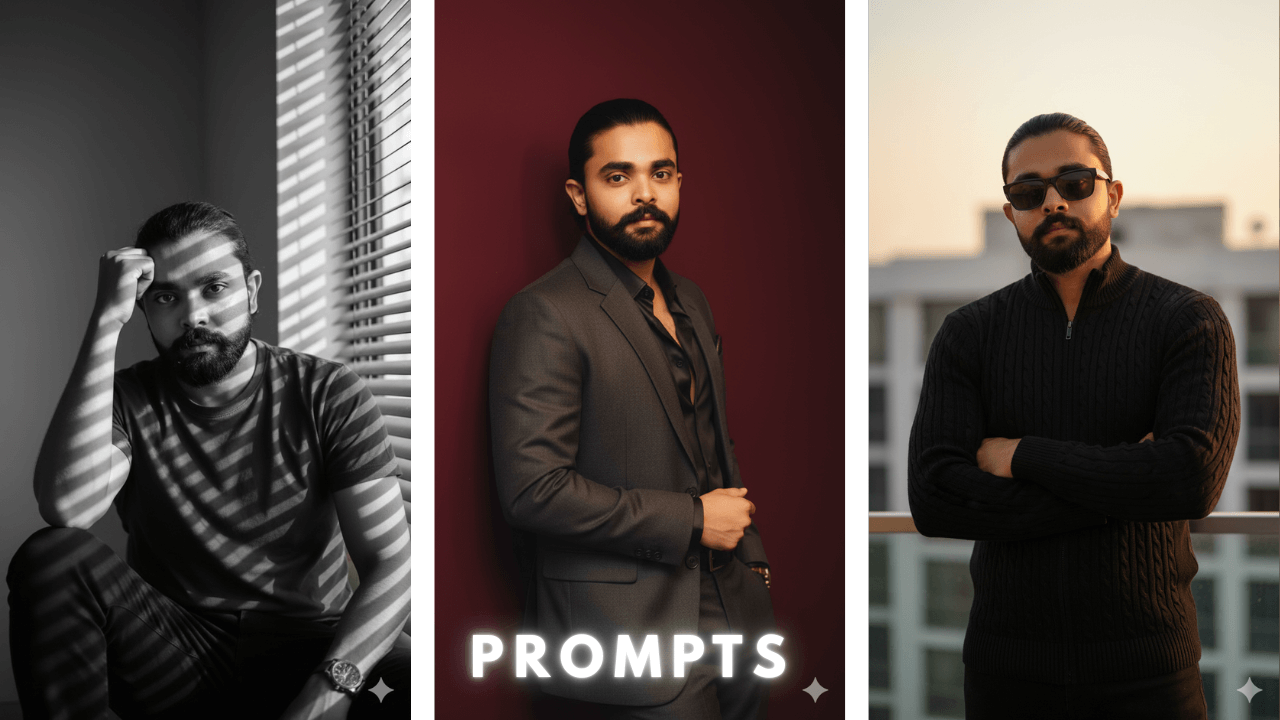
“A cinematic, high-contrast portrait of a stylish young man (preserve face 100%) with arms confidently crossed, wearing a fitted black cable-knit zip-up sweater that emphasizes a structured, athletic silhouette. He wears dark rectangular sunglasses. Lighting: Soft and cinematic golden-hour light, casting warm highlights on his face and sweater texture. Confident, Refined, Modern Aesthetic, 8K RAW photo, –ar 9:16.”

The cable-knit texture added depth to the image. “Soft and cinematic golden-hour light” created beautiful highlights on the sweater. This is excellent for winter fashion content.
6. Window Blinds: Dramatic Contrast B&W
“A monochrome, high-contrast portrait of a man (preserve face 100%) seated indoors near a window with blinds that cast dramatic horizontal light stripes across his face, arm, and clothing. Pose: sitting with one knee raised, resting one hand on his head in a thoughtful pose, intense focused gaze. Lighting: Strong directional natural light creating sharp shadows. Mood: moody and cinematic with an emphasis on shadow play. 4K RAW Photo, Ultra-Sharp Focus, –ar 9:16.”

Window blinds create beautiful patterns. “Strong directional natural light” and “sharp shadows” made the image dramatic without losing detail. I used this for an art project.
7. Navy Polo: Terrace Scenic View
“A cinematic golden-hour portrait of a young man (preserve face 100%) sitting at an outdoor terrace with a scenic view in the background. The warm sunlight of late afternoon casts a golden glow on his face. He’s wearing a navy polo shirt with red trim, round-tinted sunglasses, and a silver wristwatch. Pose: thoughtful, one hand resting on his chin as he gazes slightly into the distance. High-Detail, Quiet Confidence and Sophistication, Ultra-Sharp Focus, –ar 9:16.”

Terrace shots at golden hour are always winners. “Warm sunlight of late afternoon” created a natural golden glow. This is perfect for lifestyle content.
8. Dark Silk Shirt: Sophisticated Suit Look
“A sophisticated, high-fashion portrait of a charismatic East Asian man (late 20s, preserve face 100%) leaning against a deep burgundy or rich brown wall, illuminated by focused, warm light. He is wearing a dark grey wool suit with a single-breasted blazer and matching trousers, paired with an open-collared dark silk shirt underneath. 4K Ultra-Realistic, Editorial Quality, Shallow Depth of Field, 8K RAW photo, –ar 9:16.”

The combination of dark silk shirt and burgundy wall creates luxury. “Focused, warm light” highlighted the suit texture beautifully. I used this for a formal event invitation.
9. Retro Wine Suit: Romantic 90s Vibe
“A full-body, retro aesthetic portrait of a handsome young man (22 years old, preserve face 100%) sitting on the ground in a stylish pose against a solid deep wine-colored wall, with deep shadows. He is wearing a perfect red wine-colored shirt with matching pants and white sneakers. Accessories: silver watch, holding a single rose flower. Mood: 90s movie and romantic, windy environment. Cinematic Lighting, Ultra-Sharp Focus, –ar 9:16.”

The 90s vibe is trending again. “Deep shadows” and “cinematic lighting” created that vintage movie feel. The rose added a romantic touch. This got many likes on Instagram.
10. White Linen: Golden Hour Vintage Look
“Ultra-realistic 4K vintage editorial portrait of a young Indian man (preserve face 100%) standing casually against a plain textured wall, bathed in soft golden-hour sunlight. He wears a crisp white linen shirt, slightly unbuttoned at the top, paired with high-waisted cream trousers. Pose: hands rest in his pockets, giving a relaxed yet confident retro look. Hair: tousled, natural way. Cinematic, Timeless Masculine Elegance, Soft Grain, Ultra-Sharp Focus, –ar 9:16.”

White linen against golden hour light is magic. “Soft grain” added a vintage feel without losing sharpness. I used this for a summer campaign.
11. White Tee & Denim: Wooden Crate Studio
“A cool, modern studio portrait of a young man (preserve face 100%) with wavy, vintage hair and a clean-cut look. He is sitting comfortably on a wooden crate, looking to the right, holding a denim jacket. Outfit: white t-shirt and light-colored jeans. Background has a smoke blue & red effect and a bright black studio scene. Ultra-Sharp Focus, High-Contrast, 8K RAW photo, –ar 9:16.”

Studio shots with colored backgrounds are very trendy. “Smoke blue & red effect” added visual interest without distracting from the subject. Simple but effective.
12. Beige Suit: Curly Hair & Yellow Tints
“A stylish, high-detail portrait of a young man (preserve face 100%) standing confidently in a beige suit against a soft, light-colored background. He has a dark, curly hairstyle, a well-groomed beard, and is wearing trendy yellow-tinted sunglasses. Outfit: cream-colored suit jacket over a casual white knit sweater, gold necklace. Expression: friendly and relaxed with a slight smile. 4K Ultra-Realistic, Serene Outdoor Setting Vibe, Ultra-Sharp Focus, –ar 9:16.”

Yellow-tinted sunglasses add a trendy touch. “Serene outdoor setting vibe” made the image feel fresh and modern. This worked well for a fashion blog.
How to Adapt These Prompts for Your Own Photos
Instead of copying prompts blindly, adjust small details. Here’s what I’ve learned:
Change outfit colors to match your photo
If your shirt is blue, don’t keep “white shirt” in the prompt
Replace locations (studio → outdoor, café → street)
Match the environment to your reference
Adjust lighting (golden hour → soft daylight)
Use lighting that matches your photo’s mood
Keep one clear style per image
Don’t mix cinematic with studio with outdoor
This approach produces more realistic and consistent results. The AI works with you, not against you.
Advanced Guide: Maintaining Face Consistency
Many face-change issues come from poor reference images, not bad prompts. After many experiments, here’s what works:
For best results:
- Face should be straight or slightly tilted
- Eyes clearly visible
- No sunglasses or heavy beauty filters
- Even lighting, no harsh shadows
- Calm or neutral expression
Following these rules greatly improves face retention across multiple AI edits. When I started using clean reference images, my success rate doubled.
Common Mistakes Beginners Should Avoid
I made all these mistakes so you don’t have to:
Copying multiple prompts at once
The AI gets confused. Use one prompt at a time.
Over-stuffing keywords unnaturally
“Cinematic + studio + outdoor + night” doesn’t work. Pick one.
Mixing too many styles in one prompt
Stick to one style per image.
Using low-quality or blurry reference images
The AI can’t fix what it can’t see.
My Experience: Simple, focused prompts almost always perform better. Less is often more.
Final Thoughts
ChatGPT photo editing prompts are powerful when used as learning tools, not shortcuts. Understanding structure, lighting, and styling gives you long-term control over AI image generation.
My journey started with frustration and failure. But with patience and practice, I developed a system that works. Now I can create professional-quality images in minutes.
This article is designed as an evergreen educational resource, supporting future style-specific guides while remaining safe for monetization and search visibility.
Start simple, learn how prompts work, and refine your results step by step.
Thank you!